On October 14th the OpenBind Blind Challenge was launched, the target is the Zika virus NS2B-NS3 protease. This challenge focuses on predicting how small molecules
Category: Hints and Tutorials
Tutorials, Hints, Tips and Tricks
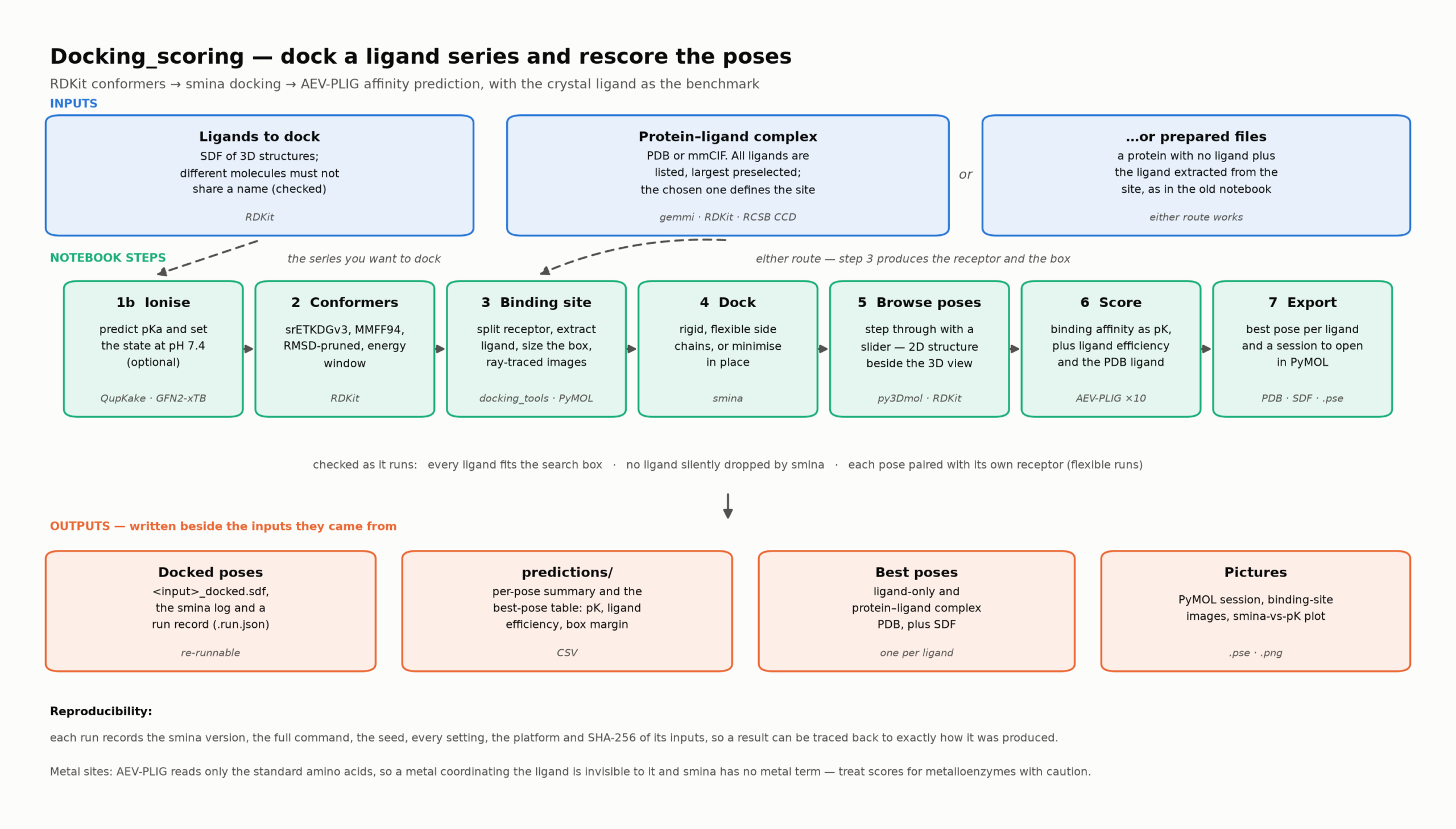
In 2020 as a result of lockdown I was asked to help create a course for MRes students as an introduction to computer-aided drug design
QupKake predicts micro-pKa values with GFN2-xTB plus graph neural networks. Its README targets Linux. On an Apple Silicon Mac the obvious routes all fail: This
Jeremy Tame recently mentioned a python script to produce clickable Ramachandran plots, code is available on GitHub https://github.com/JezTame/pymol-rama His website also describes several other useful
Clustering is an invaluable cheminformatics technique for subdividing a typically large compound collection into small groups of similar compounds. One of the advantages is that
This a Google Chrome Extension, it allows you so select a drug name in a web page (for example), right-click and from the dropdown menu
I had a couple of issues installing the PXR model from OpenAMET on my Apple Silicon Mac (https://huggingface.co/openadmet/pxr-chemeleon-baseline) so I thought I’d post what I
mlxmolkit is a GPU-accelerated molecular toolkit on Apple Silicon, it is a port of nvMolKit that uses Cuda. There are now three pipelines Full details
How often have you found a structure file on your desktop and wondered what it contained? You could open it in the relevant software application
For a long time the computational chemistry and molecular modelling package MOE from Chemical Computing Group has required XQuartz to provide the windowing environment. With